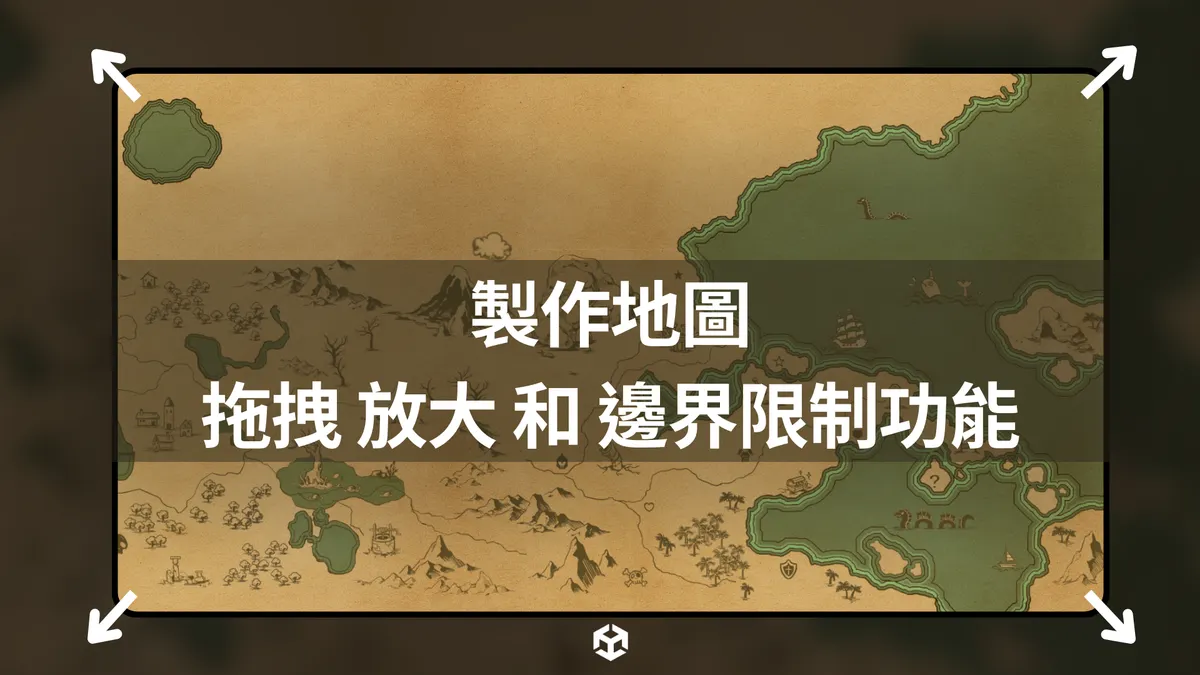

本篇會使用Unity實現地圖拖拽放大的功能
需要實現以下的需求:
- 滑鼠滾輪可以放大縮小地圖
- 放大縮小時根據滑鼠的位置進行縮放
- 點擊滑鼠中鍵可以拖動地圖
- 拖動地圖的時候不可以超出地圖邊界
- 可以設定變量進行無限制邊界拖動
Demo 影片
先看看最終的效果:
在編輯器下的效果:
數學原理
 核心的原理如上圖
會有3個主要的物件:
- World Space Canvas 下的大地圖
- Overlay View Canvas 下的地圖顯示視窗 - 地圖不可以超出這個顯示邊界
- Camera 的 Viewport
然後我把觀察的地圖顯示視窗放大到整個 Camera 的 Viewport
所以變成這個樣子:
 Camera 設定成 Orthographic
接著控制 Camera 的位移和 Size
就可以進行縮放和拖動
(如果是 Perspective 的話就是控制 z 的位置進行縮放)
 所以 Inspector 架構會長這個樣子:
 有兩個 Canvas
一個是 Overlay Space - 下面有一個觀察視窗的Image
另一個是 World Space - 下面是大地圖
程式碼
核心的程式碼有四個部分:
- MappingUIParameter - 一開始的時候計算邊界數值
- Zoom - 處理放大的功能
- Drag - 處理拖拽
- SnapBoundary - 處理超出邊界的問題
1private void Start()2{3    MappingUIParameter();4}5
6void Update()7{8    Zoom();9    Drag();10    SnapBoundary();11}
1 - MappingUIParameter
1private void MappingUIParameter()2{3 var rfRect = GetScreenRectOfWorldUI(referenceObject, targetCamera);4 var obRect = GetScreenRectOfScreenUI(observeWindow);5}c#
這個代碼主要是用來轉換和計算地圖和觀察視窗在熒幕下的坐標
轉換坐標的代碼:
1private static Rect GetScreenRectOfWorldUI(RectTransform rt, Camera camera)2{3    var wCorners = new Vector3[4];4    var sCorners = new Vector3[4];5    6    rt.GetWorldCorners(wCorners);7    for (var i = 0; i < sCorners.Length; i++)8    {9        sCorners[i] = camera.WorldToScreenPoint(wCorners[i]);10    }11    12    var position = (Vector2)sCorners[0];13    var size = sCorners[2] - sCorners[0];14    return new Rect(position, size);15}16
17private static Rect GetScreenRectOfScreenUI(RectTransform rt)18{19    var wCorners = new Vector3[4];20    rt.GetWorldCorners(wCorners);21    var position = (Vector2)wCorners[0];22    var size = wCorners[2] - wCorners[0];23    return new Rect(position, size);24}
2 - Zoom
1private void Zoom()2{3    float size = targetCamera.orthographicSize;4    Vector2 screenMP = GetMouseScreenPosition();5    Vector2 worldMP = targetCamera.ScreenToWorldPoint(screenMP);6
7    // Zoom out8    if (Input.mouseScrollDelta.y < 0 && size < zoomUpperBound)9    {10        // Adjust Orthographic Size11        targetCamera.orthographicSize += zoomSpeed;12        targetCamera.orthographicSize = targetCamera.orthographicSize > zoomUpperBound13            ? zoomUpperBound14            : targetCamera.orthographicSize;15    }16
17    // Zoom in18    if (Input.mouseScrollDelta.y > 0 && size > zoomLowerBound)19    {20        // Adjust Orthographic Size21        targetCamera.orthographicSize -= zoomSpeed;22        targetCamera.orthographicSize = targetCamera.orthographicSize < zoomLowerBound23            ? zoomLowerBound24            : targetCamera.orthographicSize;25    }26
27    // Update Camera Position28    transform.Translate(worldMP -(Vector2)targetCamera.ScreenToWorldPoint(screenMP));29}30
31private static Vector2 GetMouseScreenPosition()32{33    Vector3 mousePos = Input.mousePosition;34    return mousePos;35}
接下來這個是處理 Camera 放大縮小的代碼
核心就是調整 Camera 的 orthographicSize
然後再根據滑鼠的位置來調整 Camera 的位置
實現指哪縮放哪的效果
3 - Drag
1public KeyCode DragKey = KeyCode.Mouse2;2private void Drag()3{4    if (Input.GetKeyDown(DragKey))5    {6        isDragging = true;7        dragStartMousePosition = GetMouseScreenPosition();8        dragStartCameraPosition = transform.position;9    }10
11    if (Input.GetKeyUp(DragKey))12    {13        isDragging = false;14    }15
16    if (isDragging)17    {18        // Calculate the distance between the start and current mouse position in world space19        Vector2 dragCurrentMousePosition = GetMouseScreenPosition();20        Vector3 distanceInWorldSpace = targetCamera.ScreenToWorldPoint(dragStartMousePosition) -21                                       targetCamera.ScreenToWorldPoint(dragCurrentMousePosition);22
23        // Update Camera Position24        Vector3 newPos = dragStartCameraPosition + distanceInWorldSpace;25        targetCamera.transform.position = new Vector3(newPos.x, newPos.y, transform.position.z);26    }27}
c#
這個也比較簡單
當滑鼠中鍵點擊的時候進行位置的記錄
然後根據位移量來移動 Camera 的位置
4 - SnapBoundary
1private void SnapBoundary()2{3    Rect rfRect2 = GetScreenRectOfWorldUI(referenceObject, targetCamera);4
5    float dx = Mathf.Max(0, rfRect2.xMin - obRect.xMin) - Mathf.Max(0, obRect.xMax - rfRect2.xMax);6    float dy = Mathf.Max(0, rfRect2.yMin - obRect.yMin) - Mathf.Max(0, obRect.yMax - rfRect2.yMax);7
8    Vector2 d = new Vector2(dx, dy);9    d = targetCamera.ScreenToWorldPoint(d) - targetCamera.ScreenToWorldPoint(new Vector2(0, 0));10    targetCamera.transform.Translate(d);11}
c#
為了不要超出視窗觀察邊界
可以在最後加上這個代碼
讓拖拽的時候容易不會超出去邊界
如果把這個代碼拿掉,就可以實現無邊界拖拽
第一行通過 GetScreenRectOfWorldUI
將地圖在世界上的坐標位置和大小轉換成螢幕空間
然後計算 dx 和 dy (x軸和y軸的偏移量是多少)
再把 Camera 超出的位置位移回去
完整代碼
1
2public class CameraDragAndZoomCtl : MonoBehaviour3{4    [Header("Main Objects")] public Camera targetCamera;5
6    [Tooltip("Overlay Canvas UI Image Object")]7    public RectTransform observeWindow;8
9    [Tooltip("Target Reference Map Object With World Space Canvas")]10    public RectTransform referenceObject;11
12    [Header("Zoom Boundary Settings")] public bool enableZoom = true;13    public bool autoZoom = false;14    public float zoomSpeed = 0.5f;15    public float zoomUpperBound = 10f;16    public float zoomLowerBound = 2f;17
18    [Header("Drag Settings")] public bool enableDrag = true;19    public bool snapBoundary = true;20    public bool isDragging = false;21    public KeyCode DragKey = KeyCode.Mouse2;22    private Vector3 dragStartMousePosition;23    private Vector3 dragStartCameraPosition;24
25    // Variable Parameters26    private Rect rfRect;27    private Rect obRect;28
29    private void Start()30    {31        MappingUIParameter();32    }33
34    void Update()35    {36        Zoom();37        Drag();38        if (snapBoundary)39        {40            SnapBoundary();41        }42    }43
44    private void MappingUIParameter()45    {46        rfRect = GetScreenRectOfWorldUI(referenceObject, targetCamera);47        obRect = GetScreenRectOfScreenUI(observeWindow);48
49        if (!autoZoom) return;50        zoomUpperBound = targetCamera.orthographicSize *51                         Mathf.Min(rfRect.width / obRect.width, rfRect.height / obRect.height) * 0.9f;52        zoomLowerBound = zoomUpperBound / 2;53
54        zoomSpeed = zoomUpperBound * 0.1f;55    }56
57    private void Drag()58    {59        if (Input.GetKeyDown(DragKey))60        {61            isDragging = true;62            dragStartMousePosition = GetMouseScreenPosition();63            dragStartCameraPosition = transform.position;64        }65
66        if (Input.GetKeyUp(DragKey))67        {68            isDragging = false;69        }70
71        if (isDragging)72        {73            // Calculate the distance between the start and current mouse position in world space74            Vector2 dragCurrentMousePosition = GetMouseScreenPosition();75            Vector3 distanceInWorldSpace = targetCamera.ScreenToWorldPoint(dragStartMousePosition) -76                                           targetCamera.ScreenToWorldPoint(dragCurrentMousePosition);77
78            // Update Camera Position79            Vector3 newPos = dragStartCameraPosition + distanceInWorldSpace;80            targetCamera.transform.position = new Vector3(newPos.x, newPos.y, transform.position.z);81        }82    }83
84    private void Zoom()85    {86        float size = targetCamera.orthographicSize;87        Vector2 screenMP = GetMouseScreenPosition();88        Vector2 worldMP = targetCamera.ScreenToWorldPoint(screenMP);89
90        // Zoom out91        if (Input.mouseScrollDelta.y < 0 && size < zoomUpperBound)92        {93            // Adjust Orthographic Size94            targetCamera.orthographicSize += zoomSpeed;95            targetCamera.orthographicSize = targetCamera.orthographicSize > zoomUpperBound96                ? zoomUpperBound97                : targetCamera.orthographicSize;98        }99
100        // Zoom in101        if (Input.mouseScrollDelta.y > 0 && size > zoomLowerBound)102        {103            // Adjust Orthographic Size104            targetCamera.orthographicSize -= zoomSpeed;105            targetCamera.orthographicSize = targetCamera.orthographicSize < zoomLowerBound106                ? zoomLowerBound107                : targetCamera.orthographicSize;108        }109
110        // Update Camera Position111        transform.Translate(worldMP - (Vector2)targetCamera.ScreenToWorldPoint(screenMP));112    }113
114    private void SnapBoundary()115    {116        Rect rfRect2 = GetScreenRectOfWorldUI(referenceObject, targetCamera);117
118        float dx = Mathf.Max(0, rfRect2.xMin - obRect.xMin) - Mathf.Max(0, obRect.xMax - rfRect2.xMax);119        float dy = Mathf.Max(0, rfRect2.yMin - obRect.yMin) - Mathf.Max(0, obRect.yMax - rfRect2.yMax);120
121        Vector2 d = new Vector2(dx, dy);122        d = targetCamera.ScreenToWorldPoint(d) - targetCamera.ScreenToWorldPoint(new Vector2(0, 0));123        targetCamera.transform.Translate(d);124    }125
126    private static Rect GetScreenRectOfWorldUI(RectTransform rt, Camera camera)127    {128        var wCorners = new Vector3[4];129        var sCorners = new Vector3[4];130        131        rt.GetWorldCorners(wCorners);132        for (var i = 0; i < sCorners.Length; i++)133        {134            sCorners[i] = camera.WorldToScreenPoint(wCorners[i]);135        }136        137        var position = (Vector2)sCorners[0];138        var size = sCorners[2] - sCorners[0];139        return new Rect(position, size);140    }141
142    private static Rect GetScreenRectOfScreenUI(RectTransform rt)143    {144        var wCorners = new Vector3[4];145        rt.GetWorldCorners(wCorners);146        var position = (Vector2)wCorners[0];147        var size = wCorners[2] - wCorners[0];148        return new Rect(position, size);149    }150
151    private static Vector2 GetMouseScreenPosition()152    {153        Vector3 mousePos = Input.mousePosition;154        return mousePos;155    }156
157}